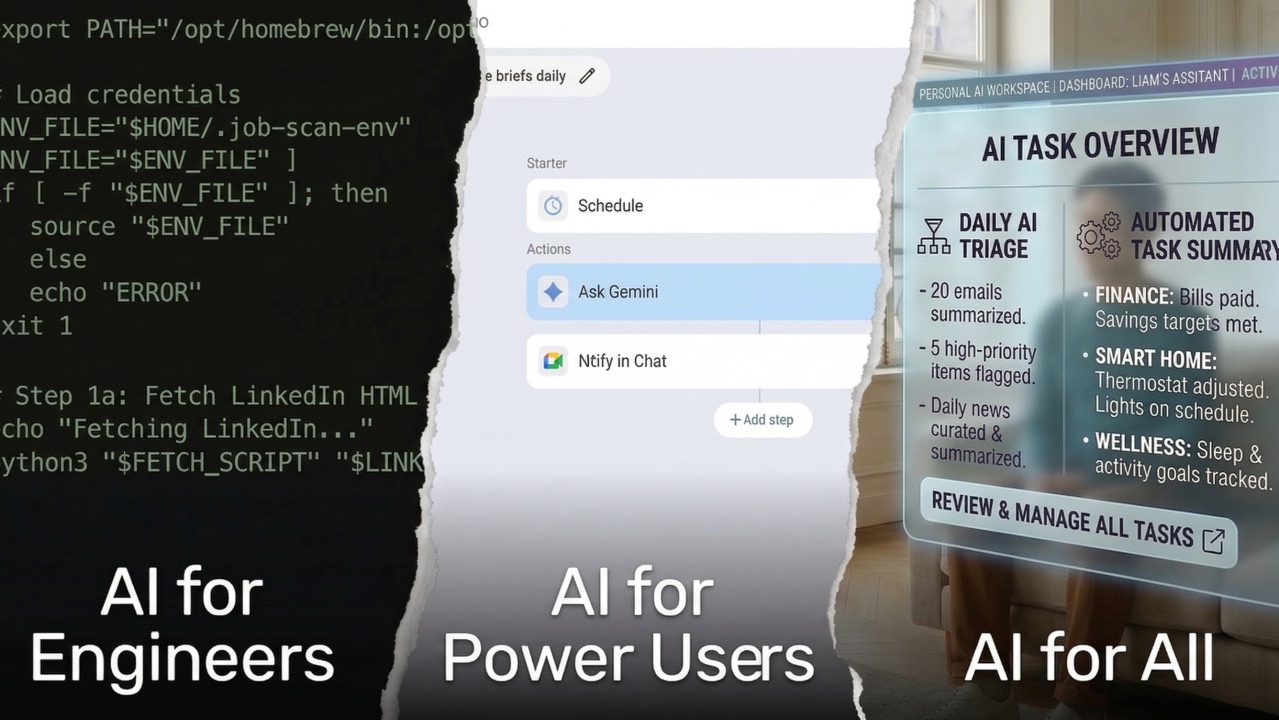
A friend recently asked if I'd help someone with "this little job scanner thing" I built.
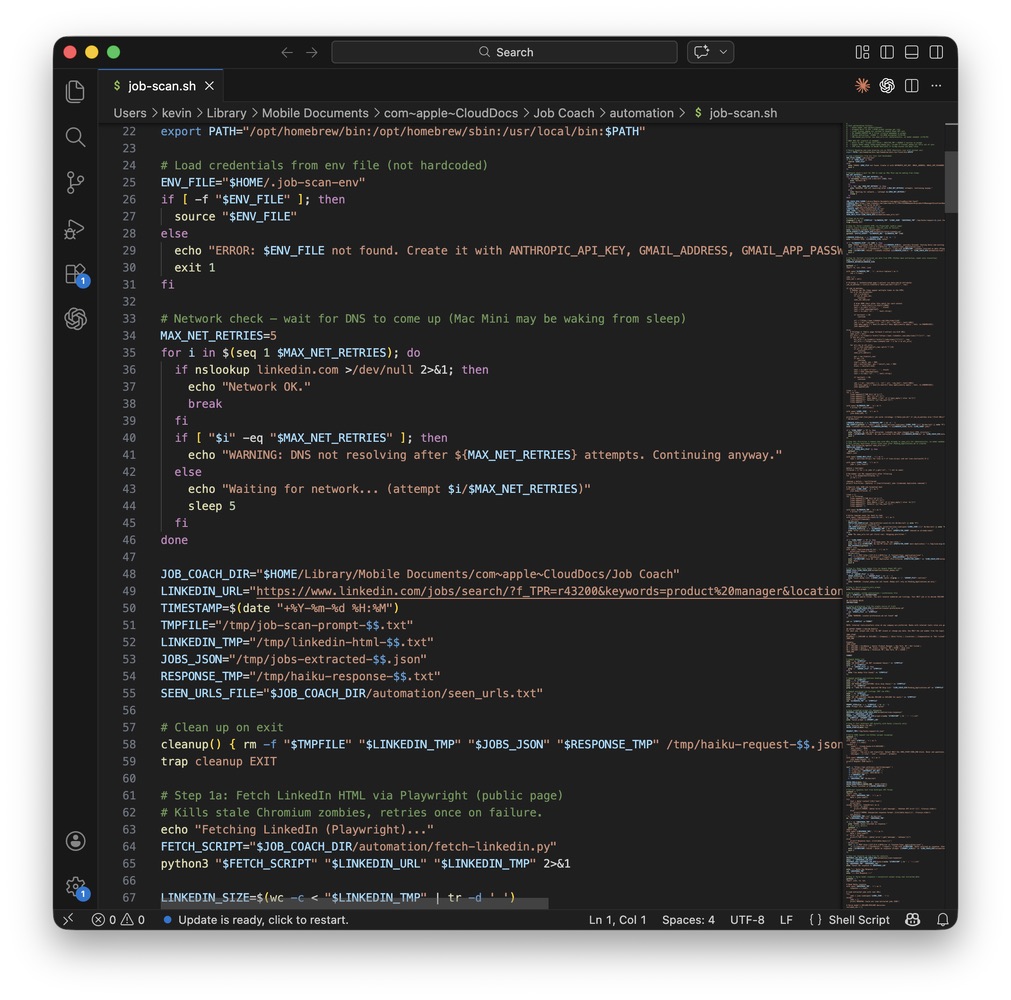
The "little job scanner thing" is a shell script running on a Mac Mini, two AI-powered classifiers, a Python parser, a bridge server, and an Apple Shortcuts automation that texts me job listings twice a day. I've written two articles about it. It took weeks to build and still requires manual maintenance.
But to everyone outside the bubble, it's a little scanner thing. And honestly? That's what it should be. A little thing that scans for you. It just isn't that simple... yet.
You Can't Just Hand This to Someone
A colleague connected me with a fellow job seeker who was "getting overwhelmed refreshing on LinkedIn." She thought I could help her set up something similar to what I'd built.
My first question: "Does she have an always-on Mac and an iPhone?"
That's when I realized how far this was from something I could hand to someone.
I met with her and we talked about the job market, how to stay sane during a search, and then I pulled up my automation. I immediately knew I'd need to scale it way down. My full setup requires hardware she doesn't have, technical concepts she hasn't encountered, and ongoing maintenance that would become a second job.
So I assigned homework instead: get a $20 Claude subscription, install the Chrome extension, and just play with it. Get comfortable talking to an AI. We'd build from there.
To show her what was possible, I pointed Claude at my LinkedIn notification emails with a simple prompt:
It worked. Claude pulled back a categorized list of healthcare-adjacent roles with direct links, organized by company type. No scrolling through LinkedIn. No clicking into 40 listings. Just the ones that mattered, ready to review.
But that "simple" demo took 100+ steps for Claude in Chrome (thankfully automated). And it only works when you're sitting at the computer, actively running it. My version runs while I sleep. Hers requires her to be there, with a browser open, every time.
The gap between what I built and what most people can actually use is enormous. And she was motivated, smart, and actively looking for help. Imagine the gap for everyone else.
What It Actually Takes
I want to be specific about what my system requires, because I think people underestimate the stack.
- Hardware: An always-on Mac Mini. Not a laptop that sleeps when you close it. A dedicated machine that runs 24/7.
- Technical knowledge: Shell scripting. Knowing what an API key is and how to create one. Understanding browser cookies well enough to open developer tools, find a specific cookie value, and paste it into a config file. Knowing what "inspect element" means. Basic Python. Familiarity with cron-like scheduling.
- Ongoing maintenance: LinkedIn changes its HTML structure without warning, so my CSS selectors break and I have to fix them. The login cookie expires every few weeks and I have to manually grab a new one. LinkedIn occasionally rate-limits the requests. The AI model sometimes misclassifies roles and I have to refine the prompt.
Each one of those steps is a gate. Every gate filters out more people. By the time you get through all of them, you're left with a pretty small group: people who are both technical enough to build it and patient enough to maintain it.
This is what "a little scanner thing" actually looks like under the hood.
In my third article in this series, I wrote, "I would not call any of this production-ready. But it's perfectly serviceable for me, and that's the point. I don't need it to scale."
I meant that. But I'm starting to think about what "scale" would actually look like.
Today's AI Tools: Almost, But Not Quite
Something is starting to emerge between "build it yourself in Terminal" and "just tell Jarvis what you want."
Google recently launched Workspace Studio, which lets you build AI workflows visually: Step 1 is a schedule. Step 2 is "Ask Gemini" with a prompt. Step 3 is a notification via Google Chat or email. Three steps. No code. A friend set up a daily news briefing with it, and while the setup was easy, the results were underwhelming. The output wasn't much better than what you'd get scrolling a news site for 30 seconds. The tool worked. The result didn't.
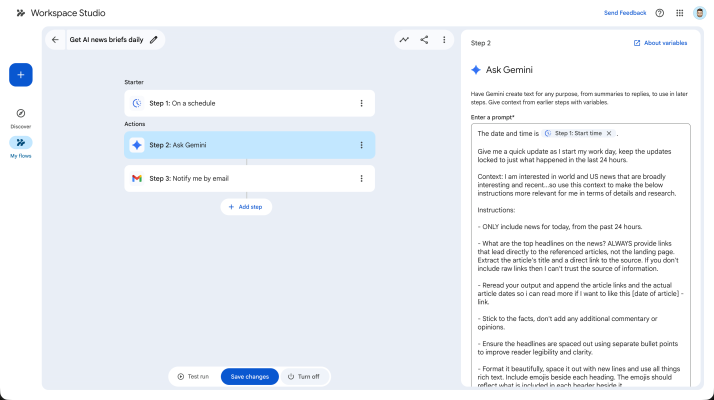
That's the tension. Even when the setup is simple, you still need to write a good prompt, understand what you're connecting, and know what to ask for. That's approachable if you already think in workflows. It's opaque if you don't.
Apple Shortcuts has a similar shape. You can build automations and even share them with other people, which is a step in the right direction. But have you ever tried to build a Shortcut from scratch? The interface is powerful but painful. It's built for power users who are willing to fight through it, not for people who just want their phone to do a thing.
The model that keeps coming back to me is IFTTT. Years ago, IFTTT had this concept of "recipes": pre-built automations you could install with one click and then tweak to your needs. "If I get an email from this sender, save the attachment to Dropbox." One click. Done. You didn't have to understand the plumbing.
Imagine that for AI workflows. A shared library where someone like me publishes "Job Scanner for PMs in NYC" and anyone can install it, change the job title and location, and just run it. No shell scripts. No cookies. No Mac Mini.
We're not there yet. But the shape of it is starting to show up.
Who Gets Left Behind
I wrote a post recently about the AI knowledge gap: most people hear "AI" and think it means asking ChatGPT a question or using Gemini to make a fun image. They're not connecting it to what's actually possible. The AI conversation happening on LinkedIn is mostly people like me talking to other people like me.
This article is the other side of that coin. Even if someone understood what was possible, could they actually build it?
- There's a knowledge gap: most people don't know what AI can do for them.
- There's a hardware gap: my workflow requires a dedicated computer running 24/7, and not everyone has that.
- There's a cost gap: a $20/month AI subscription is cheap to me. It's real money to a lot of people. API keys add up. Always-on hardware adds up.
- And there's a personalization gap: my system is built around my job search criteria, my skip list, my phone, my schedule. Even if I packaged it perfectly, someone else would need to customize every piece. Some workflows are universal (a daily news briefing works for anyone). A job search scanner with nuanced inclusion and exclusion rules is deeply personal.
The tools are getting better. But they're getting better for people who already know how to use tools.
Where This Is Going
I keep coming back to the same image: the workshop scene in Iron Man. Tony Stark talks to Jarvis, tells it what he wants, and the system figures out the rest. No prompts. No variables. No workflow builder. Just: "Find me this. Do that. Let me know."
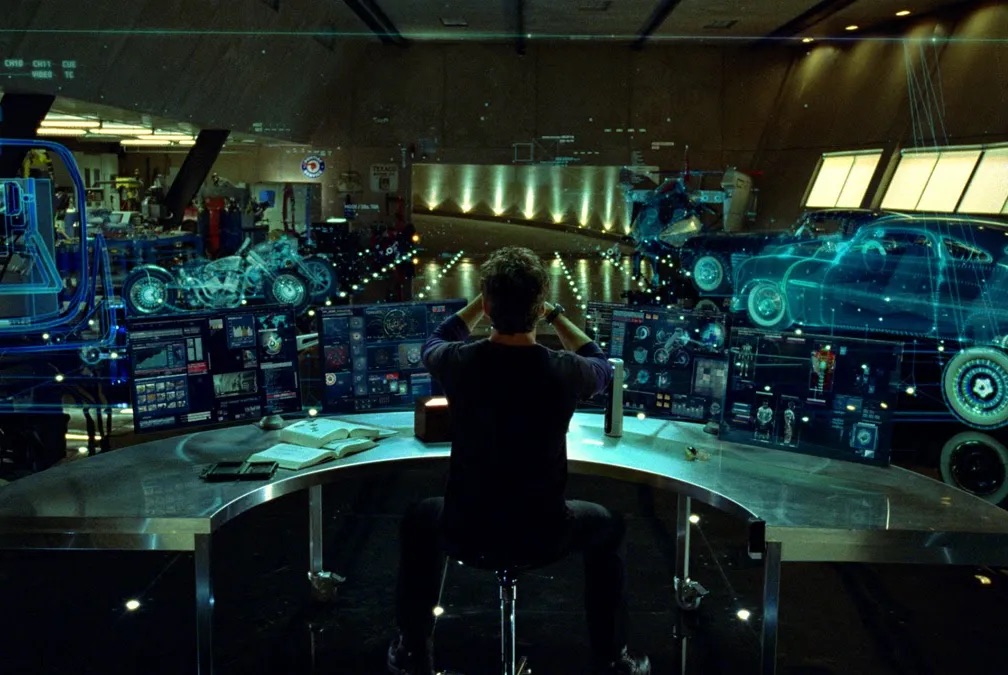
This is the endgame (get it?). We're not close.
That's where personal AI needs to go.
Not "here's a visual workflow builder so you can connect Step 1 to Step 2." Not "here's a prompt template, just fill in the blanks." Full abstraction. You say "scan LinkedIn for product manager roles in New York and text me every morning." The AI figures out the schedule, the data source, the filtering, the notification. It handles the maintenance when something breaks. And maybe, when you get it working, you share it with a friend as easily as sending a link.
In my second article, I wrote about wanting my personal AI context to live locally, on a device I own, encrypted and under my control. That vision connects here too. The fully abstracted personal AI of the future has to solve both problems: it has to be easy enough for anyone to use, and it has to be private enough that you trust it with your real life. (More on that: Owning Your Context in the Age of Data Brokers.)
We're closer than we were a year ago. Apple is investing heavily in on-device AI. Local models are getting better fast. Visual workflow builders are starting to appear. But we're still building tools for builders.
Where We Are Now: The Awkward Middle
When I showed the simplified version of my setup, she could see the value immediately. The problem was never motivation or comprehension. The problem was the distance between "I want that" and "I can do that."
I think about my colleague calling it a "little scanner thing." She wasn't being dismissive. She was describing what it should be. A little thing that scans for you. Simple. Helpful. Not requiring a computer science background to set up.
We'll get there. The pieces are starting to come together. But right now, we're in the awkward middle: too advanced for most people, not advanced enough for it to not matter.
The people building AI tools have a choice: keep building for each other, or start building for everyone. I know which one I'm hoping for.